
Issue:
When you try to "Save As", a blank window appears.
Resolution:
- -Launch the application.
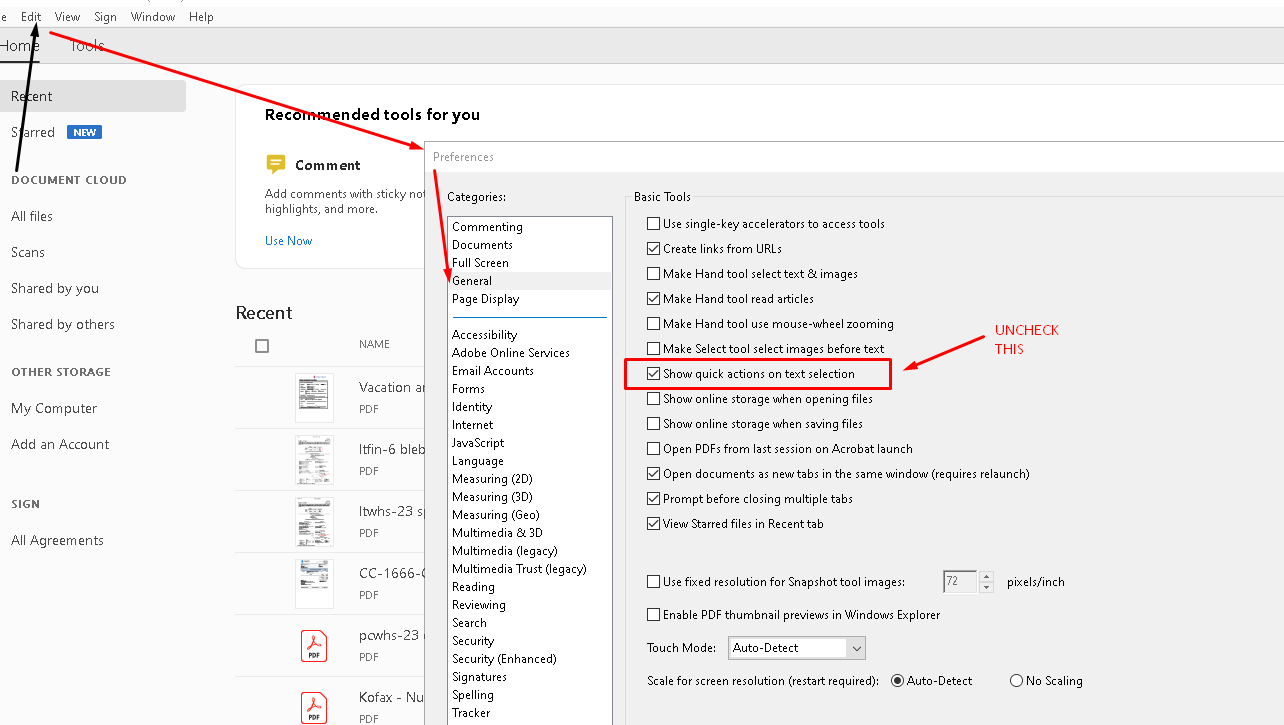
- - Go to Acrobat Reader Preferences > General.
- - Uncheck the box for "Show online storage when saving files".
- -Then click OK at the bottom to save the settings.
- -Now try to save the file using "Save as" and check if it works.
Comments
0 comments
Please sign in to leave a comment.