
Issue:
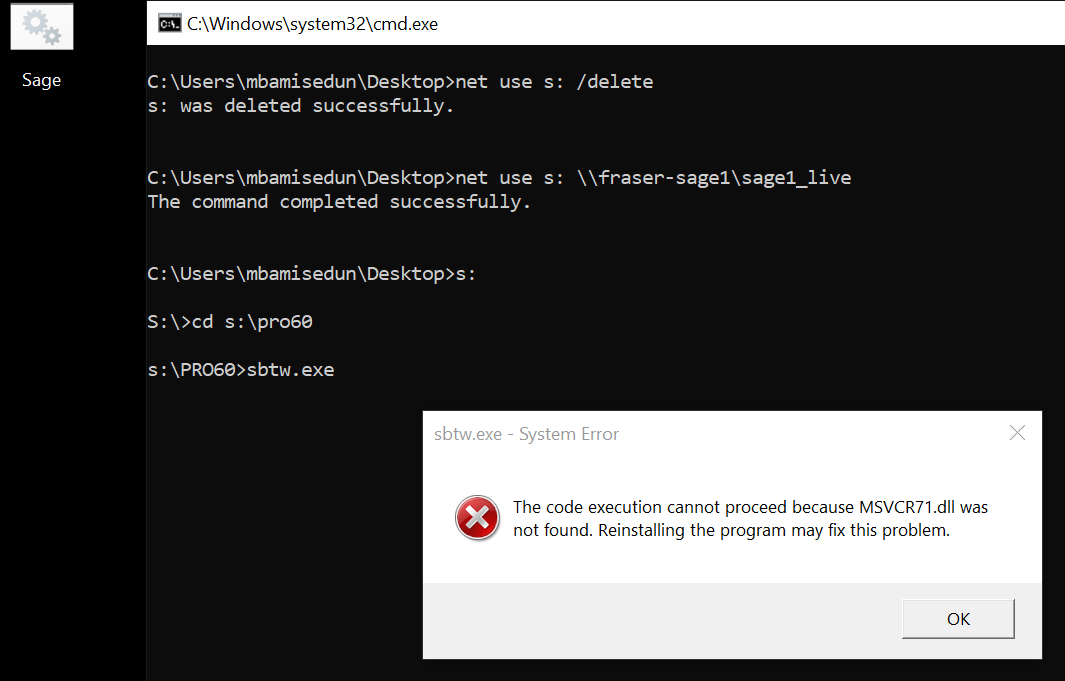
After setting up Sage, experiencing following error prompt.
[The code execution cannot proceed because MSVCR71.dll was not found. Re-installing the program may fix this problem]
Resolution:
Find and download MSVCR71.dll. Unzip and put in the following folder (this will be different based on if you have Windows x86 or x64)
Download Link: https://www.dll-files.com/msvcr71.dll.html
For Windows 32-bit OSes: C:\windows\system32
For Windows 32-bit OSes: C:\windows\syswow64
______________________________________________________________________________
If the above solution fails, here are other things to try:
-installed Pro Series 6.0 workstation setup
-Try install different Microsoft redistributables (2015,2017,2019,2022), 2013 (VC++ 12.0), 2013 (VC++ 11.0), 2013 (VC++ 10.0), 2013 (VC++ 9.0); both 32-bit and 64-bit versions
-downloaded MSVCR71.dll into \windows\system folder and attempted to register via command prompt
Comments
0 comments
Please sign in to leave a comment.