
Find operating system info in Windows 10
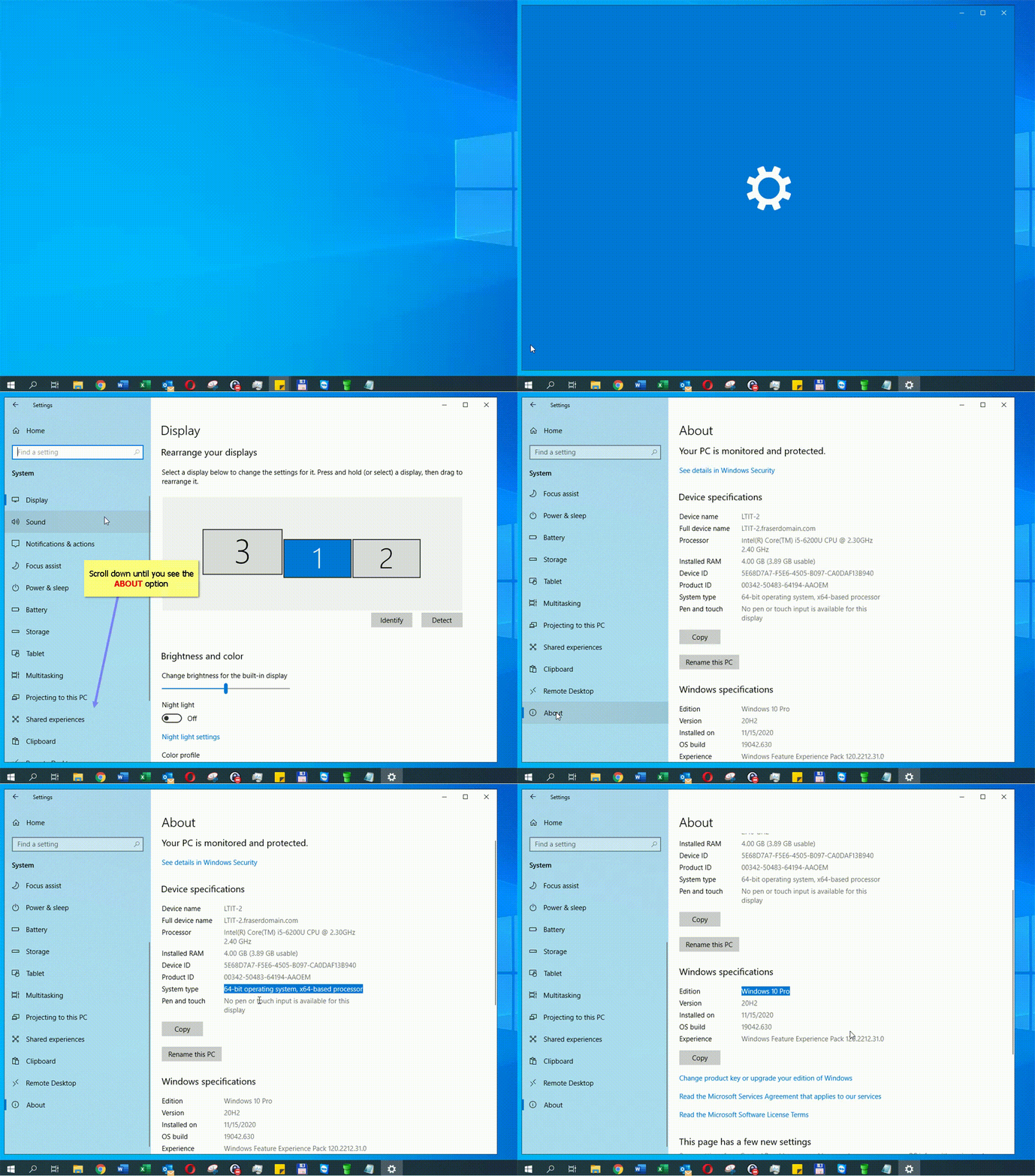
- Select the Start button > Settings > System > About . Open About settings.
- Under Device specifications > System type, see if you're running a 32-bit or 64-bit version of Windows.
- Under Windows specifications, check which edition and version of Windows your device is running.
Animated Guide:
Comments
0 comments
Please sign in to leave a comment.